
A great quote deserves better than being dropped onto a plain white background in Arial font. Whether it's something you wrote yourself, a favourite line from a book, or words of encouragement for a client's social feed, the visual around a quote does as much work as the words themselves in getting someone to actually stop and read it. That's where an AI image generator earns its place, turning a single line of text into a genuinely designed piece rather than an afterthought.
Dreamina, running on its most advanced image generation model, Seedream 5.0 Pro, handles this particular challenge with real precision, since rendering legible, well-placed text has historically been a weak spot for AI tools. Here's how to actually design something that does the quote justice.
Why the background matters as much as the words
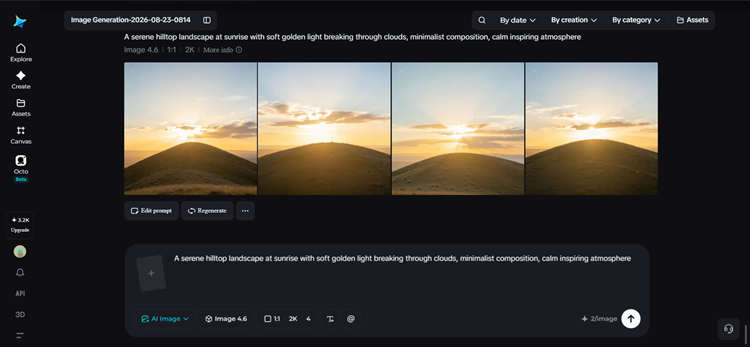
A quote's emotional impact shifts dramatically depending on what surrounds it. The same line of text feels contemplative against a quiet, misty landscape, energetic against bold graphic colour blocks, and elegant against soft textured paper. Before writing any prompt, it's worth asking what feeling the quote itself carries, and choosing a visual world that matches rather than fights against it.
Matching visual style to the tone of the quote
Different types of quotes tend to call for genuinely different design approaches:
- Soft nature photography for reflective or calming quotes
- Bold, high-contrast graphic backgrounds for motivational or energetic quotes
- Minimalist textured backgrounds for elegant, literary quotes
- Hand-illustrated elements for whimsical or playful quotes
Picking a lane early keeps the whole design feeling intentional instead of visually mismatched with the sentiment of the words.
Designing around legibility first
No matter how beautiful the background, a quote design fails if the text is hard to read. A few non-negotiables worth planning for before generating anything:
- Enough contrast between the text area and background for readability
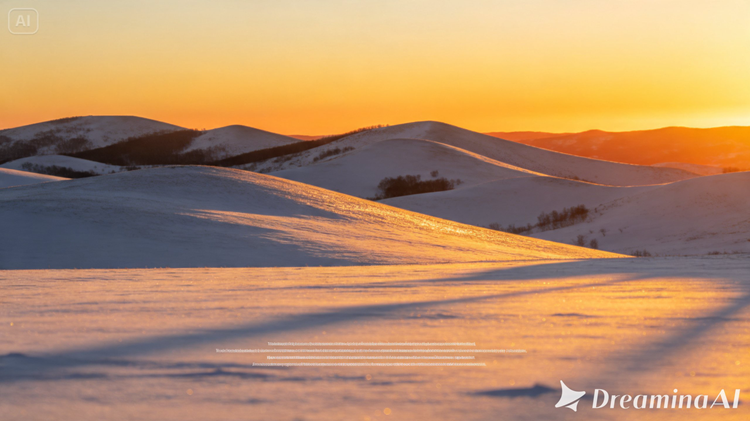
- An open, relatively simple area where the text will eventually sit
- Avoiding overly busy or high-detail zones directly behind where words will go
Treating legibility as a design constraint from the start, not an afterthought, saves a lot of frustration later.
Why Seedream 5.0 Pro suits quote design specifically
Beyond native text rendering, a few other capabilities matter here.
Multi-layer visual control
This feature separates background, imagery, and text into independent components, making it simple to adjust the wording or swap a background element without redoing the whole piece.
Pinpoint precision editing
This is with point selection, lasso, sketch guidance, and regional controls, lets you fine-tune exactly how and where text sits within the composition.
2K output quality
This highlight keeps both the background imagery and any rendered text looking sharp rather than soft or pixelated.
Your 3-step quote design with Dreamina
With tone and legibility in mind, here's exactly how to bring the design together.
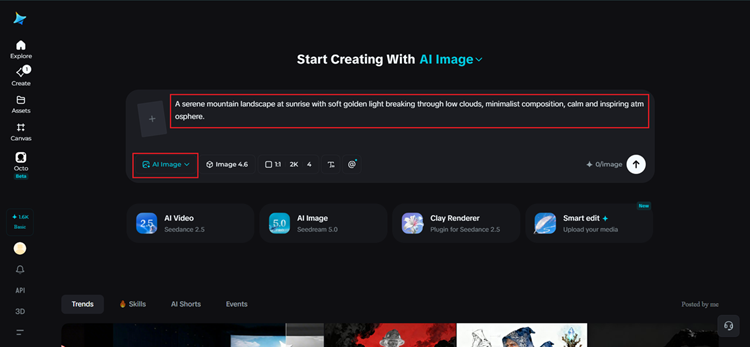
Step 1: Write a text prompt and/or add a reference image
Navigate to Dreamina and write a detailed text prompt describing a person dressed appropriately for the quote's theme if your design includes a figure, along with the background style, mood, and open space needed for the words themselves. If you have a reference image capturing a similar aesthetic you're drawn to, upload it to guide the generation further.
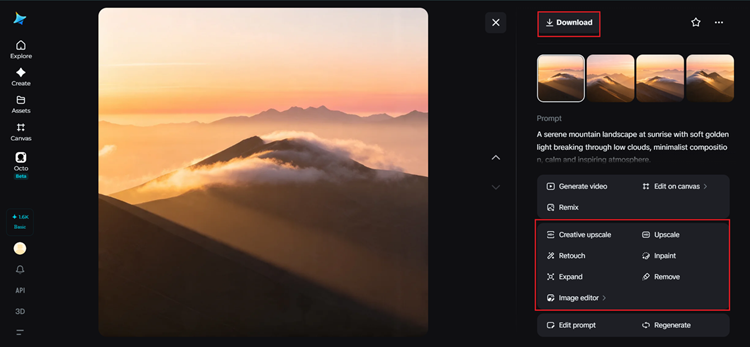
A strong sample prompt might read: A serene mountain landscape at sunrise with soft golden light breaking through low clouds, minimalist composition, calm and inspiring atmosphere.
Step 2: Adjust parameters and generate
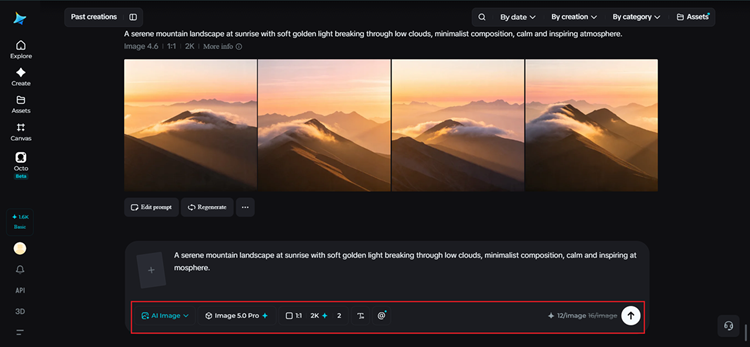
Before generating, set your parameters for the format you need. Choose Image 5.0 Pro, powered by Seedream 5.0 Pro, as your model, then select your aspect ratio, image size, and resolution, matching your aspect ratio to where the design will live- square for social posts or portrait for printed pieces- and using 2K resolution to keep everything crisp. Click Dreamina's generate icon to produce your background design.
Step 3: Customize and download
Once your design generates, refine it using Dreamina's AI customization tools — inpaint to smooth out the text area if it needs more contrast, expand to open up additional space if needed, remove to clear away anything distracting, and retouch to balance the overall composition. When it feels ready to carry the quote, click the Download icon to save it.
Letting Seedream 5.0 Pro handle the text directly
Rather than generating a background and adding text separately afterward, Seedream 5.0 Pro's native text generation across 14 languages means the quote itself can often be rendered directly within the image, positioned naturally within the composition rather than layered awkwardly on top. This is a meaningful shift from older AI tools, where generated text frequently came out garbled or illegible.
For quote designs specifically, this means the words and the visual world around them can be created together as one cohesive piece rather than two separate steps stitched together.
Typography choices that still matter
Even with text generated directly into the image, it's worth thinking through a few typographic instincts. Simple, clean fonts tend to read as more elegant and versatile than heavily decorative ones. Shorter quotes generally have more visual impact than long paragraphs crammed into a small space.
And leaving generous margins around the text, rather than letting it touch the edges of the frame, gives the whole design room to breathe.
Where quote designs get the most use
This kind of visual quote design shows up constantly across everyday creative and professional work:
- Social media posts built around a single powerful line
- Printed wall art and home decor
- Presentation slides needing a strong opening or closing statement
- Email newsletters and blog graphics
Final thoughts
A quote worth sharing deserves a design that actually matches its weight, and building that no longer requires separate graphic design software or stock photo licensing- just the right AI image generator. With Dreamina and its advanced Seedream 5.0 Pro model, the words and the world around them come together in one cohesive, legible piece.
Match your visual tone to the quote's feeling, leave room for the words to breathe, and let Dreamina bring the whole design together.
